Payroll and Statutory Compliance Without the Month-End Scramble
Why spreadsheet payroll breaks as teams grow, and how a structured payroll run with built-in PF, ESI, professional tax and TDS turns month-end into a routine review.
For most growing businesses, payroll starts life as a spreadsheet. It works well enough at ten employees. By fifty, the same sheet is being reconciled against attendance exports, leave records and last month's corrections — and the person running it is the only one who understands the formulas. Month-end becomes a scramble, and every statutory deadline adds pressure.
The problem is rarely effort. It is structure. When salary rules, attendance and compliance live in separate places, every payroll cycle is rebuilt by hand. Here is how a connected payroll process removes that rework, using Justonclick HRMS as the example.
Where spreadsheet payroll starts to break
- Attendance and leave are copied in manually, so a single missed update changes someone's pay.
- Statutory rules sit inside formulas that are hard to audit and easy to overwrite.
- There is no clear point at which the month is final — figures keep changing after salaries are paid.
- Employees email HR for payslips, and every request is handled one by one.
Start with salary structures, not individual rows
A reliable payroll begins with salary structures: earnings and deductions grouped once and assigned to employees, or derived from an agreed CTC. When a structure changes, every employee on it changes with it. Finance stops editing individual rows and starts managing rules.
Preview, process, then lock the month
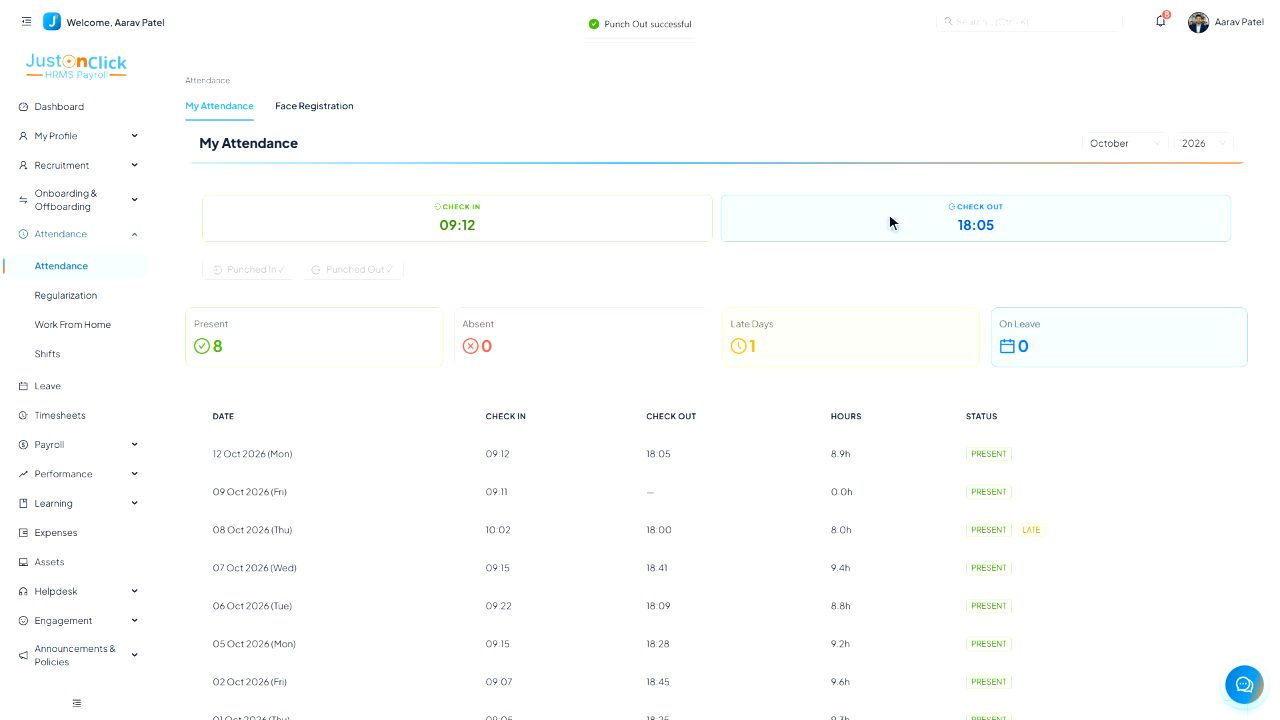
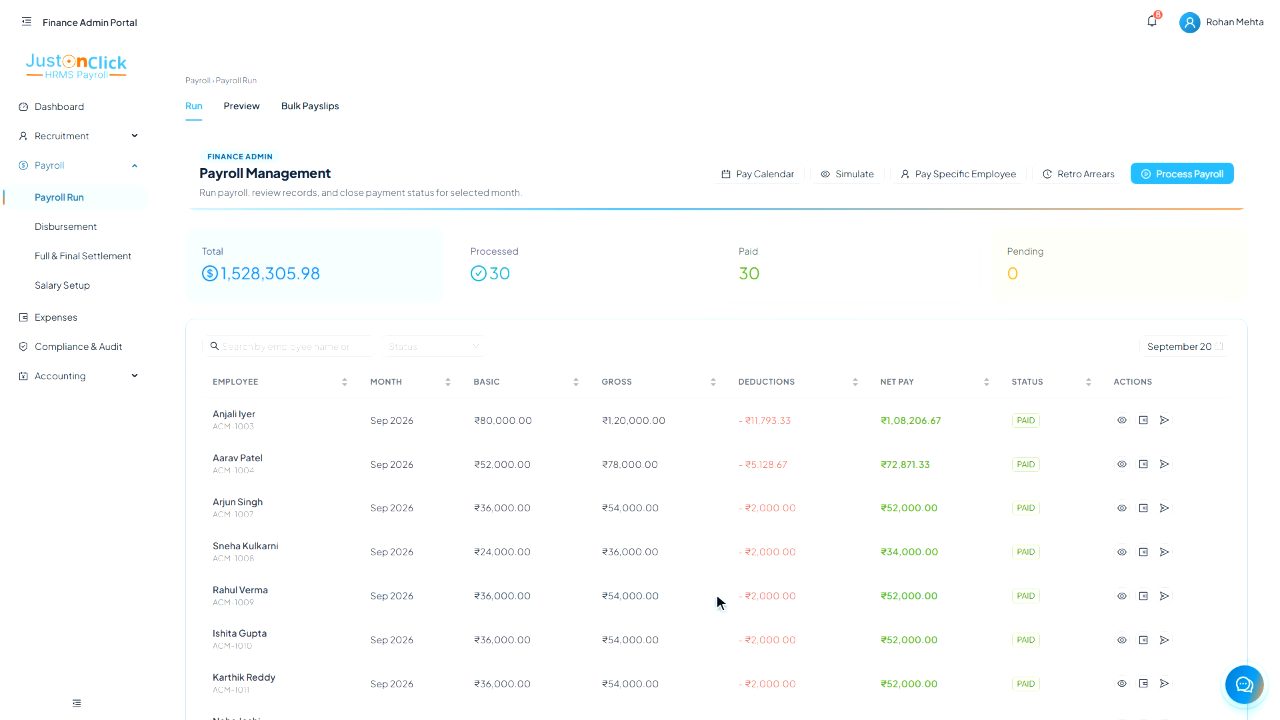
The most important habit in payroll is a deliberate review step. In Justonclick HRMS, Finance Admin previews the month first — basic, gross, attendance-based deductions, statutory amounts and net pay for every employee — before anything is final. Only then is payroll processed and the month locked, so the numbers paid are the numbers on record.
Compliance calculated inside the run
Statutory compliance should be an output of payroll, not a separate task afterwards. Justonclick HRMS works out the statutory figures in the same run:
- PF at 12% of a wage capped at ₹15,000.
- ESI where an employee's gross pay is ₹21,000 or less.
- Professional tax and TDS.
- PF ECR and ESIC exports ready for filing.
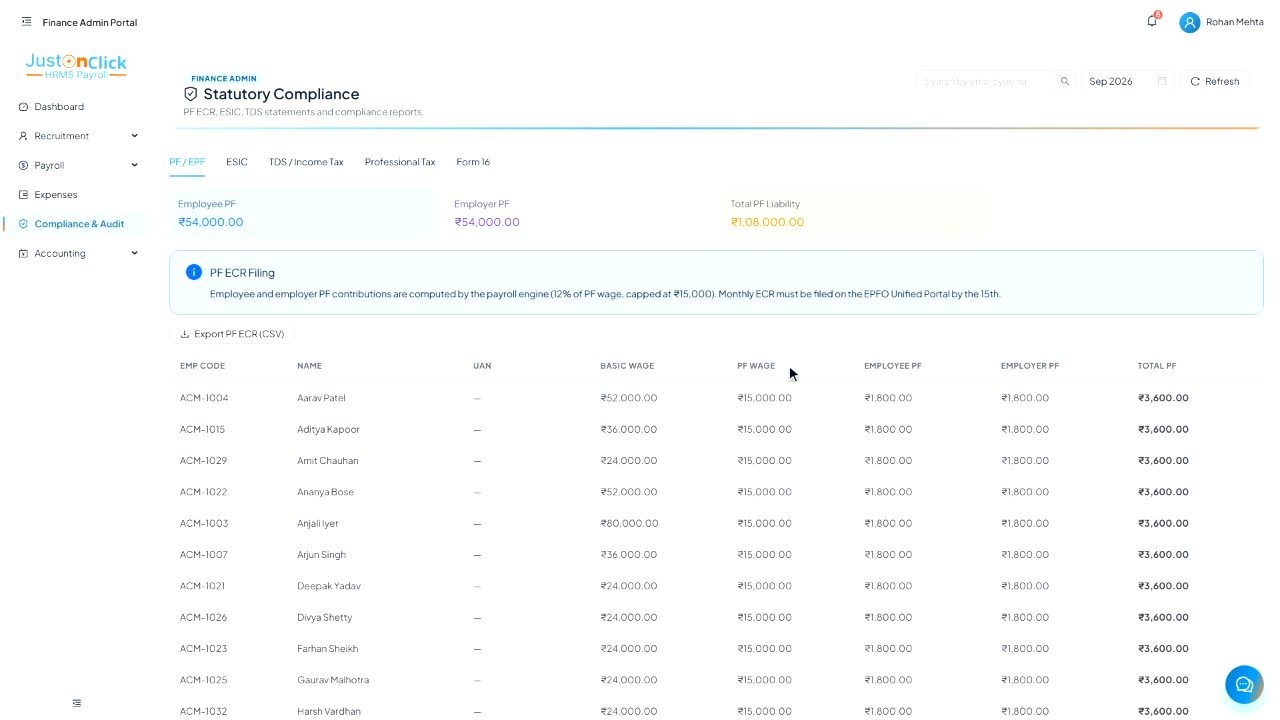
When compliance is calculated in the same run as pay, there is nothing to reconcile at filing time — the figures already agree.
Payslips employees can find themselves
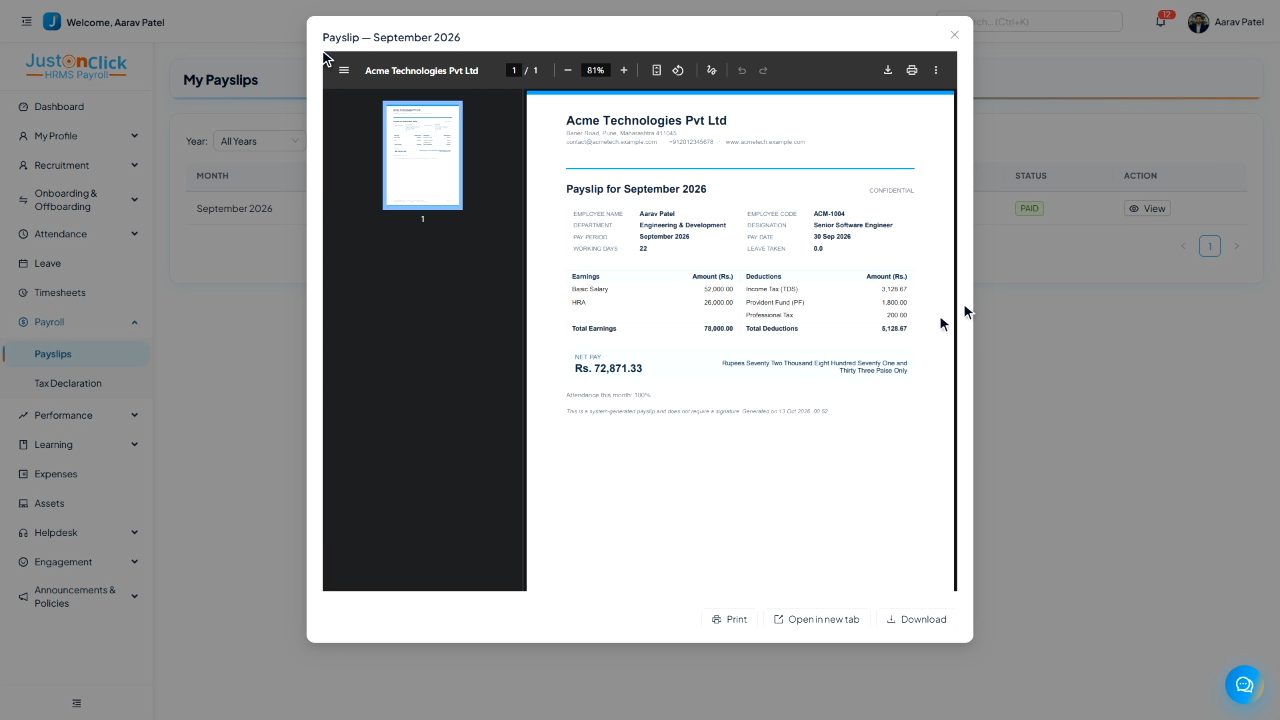
Once the month is processed, payslips are published to employees, who view and download them under My Payslips. Routine payslip requests disappear from HR's inbox, and employees can also declare tax investments in the same place.
A checklist for your next payroll cycle
- Are salary components defined once and grouped into structures?
- Does attendance flow into pay automatically, or is it copied in?
- Is there a preview step before the month is locked?
- Are PF, ESI, professional tax and TDS calculated in the run itself?
- Can employees get their own payslips without emailing HR?
If more than one answer is no, the month-end scramble is a process problem — and it is solvable. Bank disbursement, full and final settlement, retro arrears and a payroll journal for your accounting system complete the cycle in the same platform.